

Outdated plugins and themes create the most common WordPress vulnerabilities, followed by weak admin passwords, unpatched core software, and vulnerable third-party extensions tracked in databases like the Wordfence Intelligence Vulnerability Database. These gaps let attackers inject malware or steal data. Regular updates, strong credentials, and ongoing security scans, such as those using Sucuri, close these openings and protect site visitors' trust.
Key Takeaways
Weak administrator passwords remain the leading cause of unauthorised website access and data breaches.
Unvetted third-party plugins introduce malicious code that compromises site integrity and visitor data protection.
Inadequate user permission settings allow contributors and editors excessive access to sensitive website functions.
What makes WordPress sites vulnerable?
Scale is the root cause. More than 40% of all websites run on WordPress, according to a report on WordPress security issues, making it the single largest target for attackers anywhere online. That size creates constant exposure for business owners. Non-profit managers who never intended to become a target in the first place.
Why do attackers focus so much on WordPress?
Sheer numbers make WordPress worth attacking. Such a massive pool of potential targets inevitably draws malicious actors looking for the easiest way in, whether that's an outdated plugin, a weak password, or a theme nobody updated. Attackers don't need to work hard when so many sites share the same underlying platform.
What turns a vulnerability into a real problem?
A flaw only becomes damaging when nobody is watching for it. WordPress security vulnerability fixes matter most in the gap between discovery and action. That gap grows without reliable support behind the scenes. Sites left unmanaged face:
Delayed patching after a flaw becomes public knowledge
Compounding risk from stacked plugins, themes, and outdated core files
No one monitoring for suspicious activity until damage is visible
Peace of mind comes from knowing a website works reliably, with issues caught and resolved before they become costly headaches, rather than discovered during a crisis.
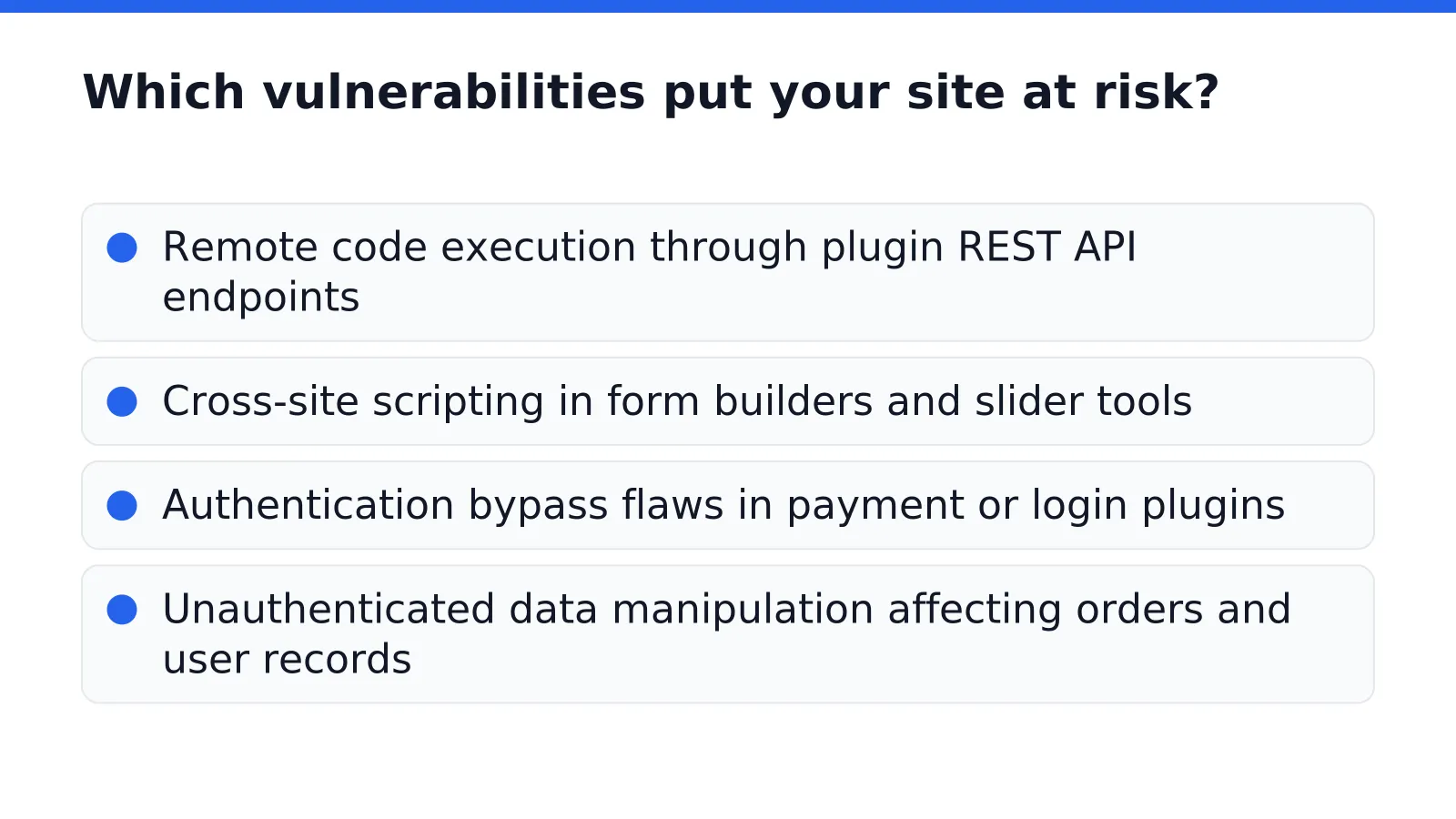
Which vulnerabilities put your site at risk?
Plugin flaws rank among the most common entry points for attackers targeting WordPress sites. Researchers regularly document issues like remote code execution bugs. A weakness in a plugin's email template feature or REST API connection lets an outsider run commands on the server. Each new plugin added to a site expands the attack surface, and outdated versions sit exposed until someone applies a fix.
These aren't abstract technical concerns. Unpatched vulnerabilities create exactly the kind of warning signs that drive visitors away before they trust a business or charity enough to engage. A compromised site can display malware warnings in search results, send spam from contact forms, or simply load slowly and unreliably. WordPress security vulnerability fixes address these weaknesses before they become visible problems for site visitors.
What happens if a vulnerability goes unfixed?
Left alone, a single unpatched flaw rarely stays isolated. It multiplies into broken plugins, locked admin accounts, and emergency phone calls to whoever built the site. For a business owner or nonprofit manager already stretched thin, that becomes an ongoing headache: constant tech troubleshooting instead of running programs or serving customers.
Which vulnerabilities appear most often?
Common risk categories include:
Remote code execution through plugin REST API endpoints
Cross-site scripting in form builders and slider tools
Authentication bypass flaws in payment or login plugins
Unauthenticated data manipulation affecting orders and user records

How can WordPress Security Vulnerability Fixes keep you safe?
WordPress Security Vulnerability Fixes protect a site by closing gaps before criminals find them. Weekly software updates patch the WordPress core, themes, and plugins, removing known weaknesses that attackers actively scan for. Skipping updates leaves the door open; outdated code is the most common entry point for a breach.
Patching alone does not cover every scenario. A compromised site still needs a way back. Daily off-site backups, stored on Amazon servers, give owners a safety net if an attack causes data loss or corruption. A hacked homepage never becomes a permanent crisis.
What happens if a vulnerability slips through?
Regular security scans using Sucuri catch threats that updates and backups alone might miss. Transparent monthly reports then summarize scan results and site activity, keeping owners informed rather than guessing. Nonprofits, churches, and small businesses rely on this visibility to stay ahead of emerging threats without becoming security experts themselves.
Does better security also mean better performance?
Yes, security and speed often improve together. On the Hope for Tomorrow Global project, migrating hosting to LiteSpeed cut page load time while supporting strong uptime. Faster, well-monitored hosting reduces the attack surface and builds visitor trust at the same time.
FAQ
What is the most common WordPress security vulnerability?
Outdated plugins and themes create the most common WordPress vulnerabilities, followed by weak admin passwords, unpatched core software, and vulnerable third-party extensions tracked in databases like the Wordfence Intelligence Vulnerability Database.
Why is WordPress targeted so often by attackers?
More than 40% of all websites run on WordPress, making it the single largest target for attackers anywhere online. This scale draws malicious actors looking for the easiest entry point, such as an outdated plugin or weak password.
How do unpatched vulnerabilities affect site visitors?
Unpatched vulnerabilities create warning signs that drive visitors away, including malware warnings in search results, spam sent from contact forms, or slow, unreliable page loading. Regular updates and ongoing security scans close these gaps.
Conclusion
In closing, WordPress security vulnerabilities demand consistent attention and proactive management. The threats are real, outdated plugins, weak passwords, and unmonitored access points create genuine risk, but they're entirely preventable through disciplined practices. Regular updates, strong authentication, and reliable backups form the foundation of a secure site. By treating security as an ongoing priority rather than a one-time fix, you protect your website, your visitors, and your organization's reputation. A secure WordPress site builds the trust your audience deserves.


0 Comments